Design & Build
Native Git
One repository for your code, collections, specs and tests. Local by default. Ship them the way you ship code.
Trusted by teams at






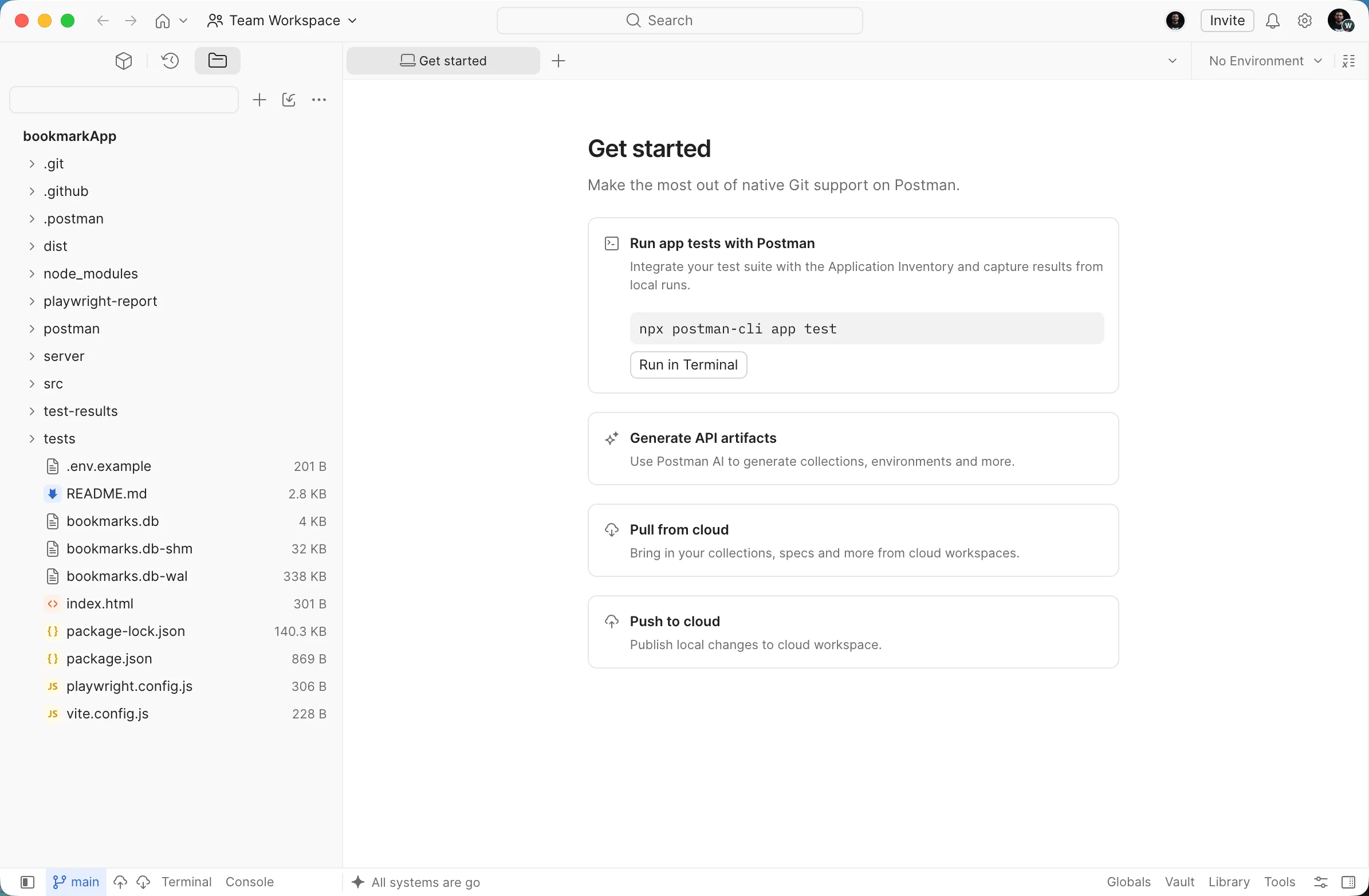
Your API work, as files in your repo
Collections and specs live with your code
One YAML file per request, per spec, per environment, under /postman in your repo. They diff line by line, like everything else you review.
Keep the Git workflow you have
They are plain files, so you branch, diff, and review them with the Git tooling you already use. Postman doesn't replace it.
Test in CI, publish on merge
Run your collections in the pipeline with the Postman CLI, then publish to Cloud View when the branch merges.
Postman AI reads your code, not just your collection
Your collection is a file in the same repo as your service, so Postman AI can read both. Ask it what your tests miss and the answer comes from the route handlers, not from a spec.
Frequently asked questions about Postman Native Git
What is Postman Native Git?
Native Git lets you develop APIs in a local Git repository and sync them to Postman Cloud only when the work is ready to share. In Local View, your collections, environments, and specs live alongside your code. In Cloud View, they're the shared version your team can review and rely on.
What do I need to use Native Git?
Native Git works in the Postman desktop app, not the web app. You also need a local project folder with your API code, and a Postman team to create the workspace in (or permission to create a workspace outside a team).
Is Native Git available on the Free plan?
Yes. Native Git is available on every Postman plan, including Free. Compare plans on the Postman pricing page.
Which Git providers does Native Git support?
Native Git works with GitHub, GitLab, and Bitbucket, cloud or self-hosted, with public or private repositories.
Where does Native Git store files in my repository?
Native Git writes one YAML file per request, spec, and environment under the postman directory, and registers them in a .postman/resources.yaml manifest. In a monorepo, connect the repository root and register every service's resources in that one manifest.
Does Postman replace my Git client?
No. You branch, diff, review, and commit with Git in your own terminal, IDE, or Git host. Postman doesn't do those steps for you. When the work is ready to share, you sync it to Postman Cloud.
How do I automate Native Git in CI/CD?
Use the Postman CLI. Run postman workspace lint on pull requests, and postman workspace push to sync local files to the cloud workspace after merge. Authenticate the pipeline with a Postman API key stored as a secret; pushes from CI are attributed to the account that owns the key. The Native Git CI/CD guide has the full setup.
Can Newman run Native Git collections?
No. Native Git uses the v3 YAML collection format, and Newman only supports the v2.1 JSON format. Run Native Git collections with the Postman CLI, and use postman collection migrate to convert older collections to v3.
RESOURCES
Go deeper on Native Git


See Native Git on your own repository
Chat with a Postman expert about connecting your repository, keeping collections and specs versioned with the code they cover, and running them in the pipeline you already have.